
AGENTIC CODING
IN YOUR
TERMINAL.
A standalone terminal port of the Orbital extension — the same open-source and third-party model catalog, the same native tool schemas, the same MatterAI auth — rebuilt from scratch as an interactive TUI with streaming chat, live thinking, tool activity, edit approvals, and project memory.
Requires Node.js ≥ 20 · No Bun needed
THREE COMMANDS.
YOU'RE IN.
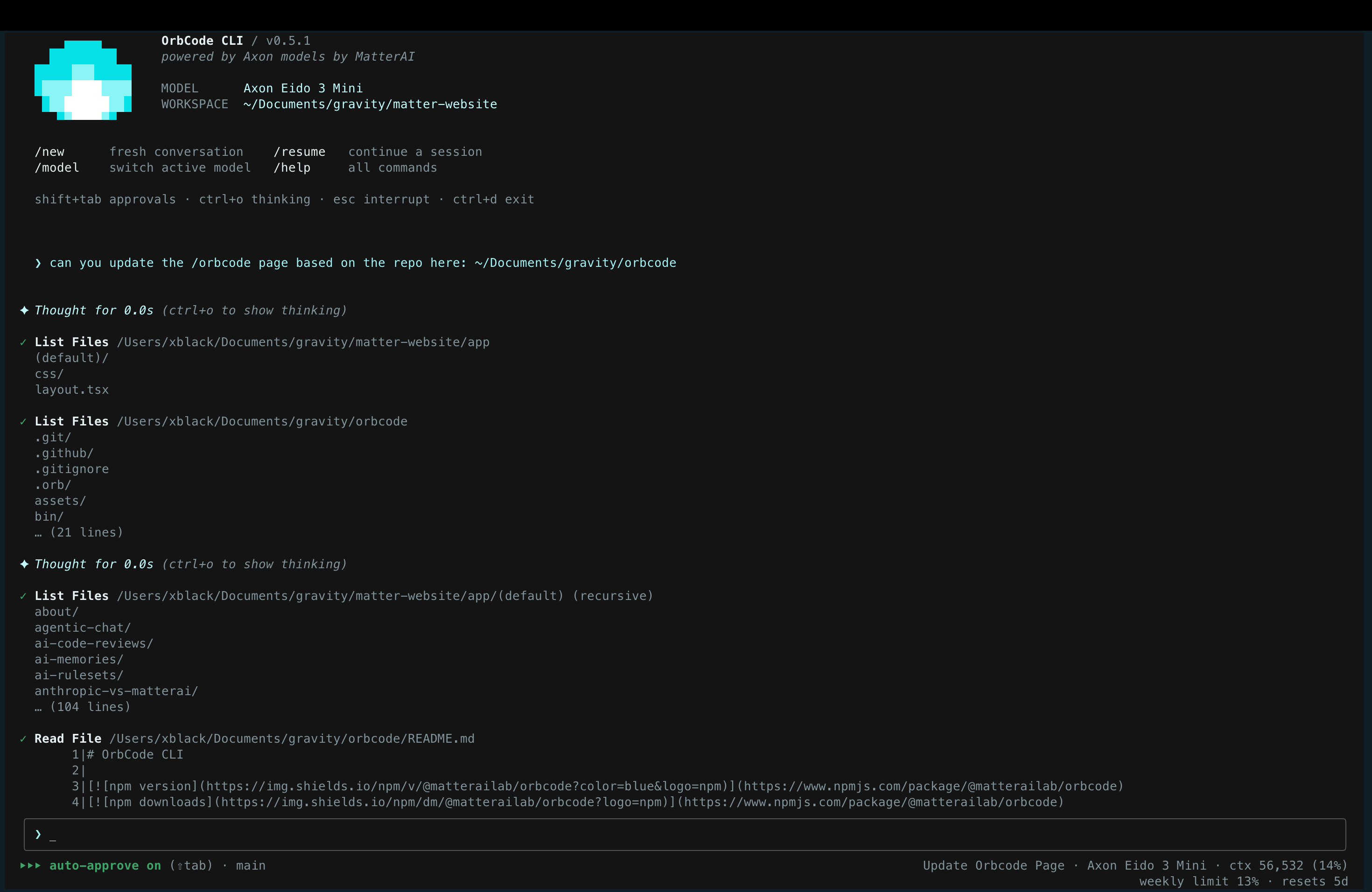
Install globally, sign in once via your browser, then start an interactive agent session from any project directory. The directory you launch from becomes the workspace — the default target for file operations and the file listing the model sees.
- →Read, edit, run commands, fix bugs — ask in plain English.
- →Source-of-truth builds:
git clone+npm link.
BUILT FOR
THE TERMINAL.
OpenTUI native retained renderer with OrbCode-owned dark and light palettes, full-screen rendering, mouse input, and truly opaque panels. The terminal theme can't override it.
Live Markdown
Streaming responses rendered as markdown with a native OpenTUI surface. Headers, lists, code fences, inline code, and links — all painted by OrbCode, so terminal theme can't override it.
Live Thinking
Reasoning streams under a collapsible ✦ Thinking block and collapses to ✦ Thought for Ns when done. Ctrl+O toggles thinking for the whole transcript.
Transparent Actions
Each tool call shows a formatted name, a one-line summary, live running state, then ✓/✗ with a short result preview.
Real Diffs
File-modifying tools render a real diff with a stats header and red/green backgrounds, both in the approval prompt and the finished tool row.
Safe by Default
Read-only tools run freely. File edits and commands prompt first. Dangerous commands can never be auto-approved — no `--yolo` override.
Scriptable
Pipe a single prompt with -p for scripts and CI. Prints only the final content to stdout; errors go to stderr. Add --yolo to auto-approve edits.
Claude-Code Compatible
Block, auto-approve, rewrite, or inject context at fixed points in the agent loop. Scripts written for Claude Code work here unchanged.
Any Tool
Connect stdio, HTTP, or SSE MCP servers in three scopes (user / project / local). Full OAuth 2.0, M2M grants, and a runtime /mcp manager.
Marketplace
Browse Anthropic's official plugin marketplace from /plugins. Skills, commands, and bundled MCP servers install as a pinned bundle.
Reusable Prompts
Drop a SKILL.md into ~/.orbcode/skills/ or .orb/skills/. OrbCode injects the catalog into every system prompt and loads the body on demand via use_skill.
Project Memory
Project, user, and local AGENTS.md files auto-load into every system prompt. @include directives compose multi-file guides with cycle detection.
Resume Anywhere
Every session is persisted to ~/.orbcode/sessions/. /resume and --resume <id> continue exactly where you left off, with thinking blocks intact.
TOP OPEN-SOURCE MODELS,
BUILT IN.
The same high-performance models that power Orbital, available in your terminal. deepseek/deepseek-v4-flash-0731 is the default paid workhorse. Switch with /model at any time.
Add Anthropic or any OpenAI-compatible provider via customModels in settings.json — the Vercel AI SDK powers them through the same agent loop, tools, and approvals.
zai/glm-5.3
Z.ai flagship open model for complex agentic workflows.
- →1M context · 64k output
- →Maximum reasoning depth
- →Best for complex, long-running tasks
deepseek/deepseek-v4-flash-0731
Default workhorse for fast day-to-day coding and agent tools.
- →1M context · 64k output
- →Ultra-fast and cost-efficient
- →Best for day-to-day coding & agents
EVERYTHING IN
A SLASH.
Type / to open the autocomplete menu. Every menu — slash commands, @-files, model picker, session picker, followups — is navigable with ↑/↓ and selectable with enter; a partial command like /mod + enter runs the highlighted match.
EscCtrl+CCtrl+OShift+Tab↑ / ↓Ctrl+A / Ctrl+ECtrl+UCtrl+FBROWSER
DEVICE FLOW.
No copy/paste. orbcode login opens your browser, you click Authorize, and you're in. The token is handed out exactly once from redis.
- CLI calls
POST /orbcode/auth/startand gets a 10-minute device code. - Browser opens to
app.matterai.so/orbital?loginType=orbcode&devicecode=…. - Already signed in → the Authorize dialog shows immediately. Otherwise, you sign in first; the device code is preserved through OAuth and email/password.
- CLI polls
GET /orbcode/auth/pollevery 3s until success. - Token is saved to
~/.orbcode/config.json(mode 0600). Use/logoutto clear it.
apiKeyMATTERAI_TOKENMATTERAI_API_KEYMATTERAI_BASE_URLMATTERAI_MODELMATTERAI_CONFIG_DIRMATTERAI_BACKEND_URLMATTERAI_APP_URLTokens are MatterAI JWTs. A token whose payload has env: "development" routes API calls to localhost:3000, matching the extension.
ANY TOOL,
ANY TRANSPORT.
Connect external tools via the Model Context Protocol. Server tools appear alongside native tools as mcp__<server>__<tool> and the model calls them like any other. Manage everything at runtime with /mcp.
~/.orbcode/settings.jsonApplies to every project on this machine.
.mcp.jsonCheck-into-git, shared with the team. Closer-to-cwd wins. Compatible with Claude Code's .mcp.json.
.orbcode/settings.jsonPer-project, per-machine overrides (not checked in).
API keys / PATs in headers with ${ENV_VAR} expansion. Tokens read from the environment, never written to disk.
Full authorization-code flow: RFC 9728 discovery, RFC 8414 metadata, PKCE, dynamic client registration, token refresh. Tokens persist per-server under ~/.orbcode/mcp-auth/.
client_credentials and private_key_jwt grants for service-to-service auth — direct token exchange, no browser.
EXTEND WITHOUT
FORKING.
/plugins
Browse Anthropic's official Claude plugin marketplace, or install directly from the shell. OrbCode installs the complete pinned bundle under .orb/plugins/<name>/, loads skills with a <plugin>:<skill> namespace, and brings bundled MCP servers in as project-scoped servers.
Reusable instructions
Drop a directory containing SKILL.md into ~/.orbcode/skills/ (user) or .orb/skills/ (project). The catalog — names, descriptions, when-to-use hints — is injected into every system prompt. When a task matches, the model calls use_skill and the body loads on demand.
THE MODEL READS
YOUR NOTES.
AGENTS.md files provide project- and user-level instructions injected into every system prompt — build commands, code style, architecture notes, conventions. Use the open AGENTS.md filename so it works across tools.
~/.orbcode/AGENTS.mdPersonal global instructions. Lowest precedence.
AGENTS.md · .orbcode/AGENTS.mdWalked from cwd up through parents (closer-to-cwd wins). Checked into the repo, shared with the team.
AGENTS.local.mdPrivate per-machine overrides. Gitignore this.
An AGENTS.md file can include other files with @path references. Includes resolve recursively up to 5 levels with cycle detection.
Run /init to have OrbCode analyze the codebase and create or improve the AGENTS.md in the repo's .orb/ directory.
Higher-precedence files (closer to cwd, then local) appear later in the system prompt and get more weight from the model.
APPROVALS &
CONTROL.
Read-only tools run without prompting. File edits and commands prompt first, with the exact target or command line shown before anything runs. Dangerous commands — deletes, force-pushes, system changes — can never be auto-approved.
Prompt for every edit and command. The default.
Auto-approve file edits; commands still prompt.
Auto-approve safe commands too. Dangerous ones still prompt.
Denials are reported back so the model adjusts course.
Cycle modes at runtime with Shift+Tab. Set session defaults via autoApproveEdits and autoApproveSafeCommands in settings.json.
LIFECYCLE
EXTENSION.
Shell commands OrbCode runs at fixed points in the agent loop. Same contract as Claude Code's hooks — scripts written for it work here. Use them to block dangerous actions, auto-approve trusted ones, rewrite tool inputs, inject context, or keep the agent working until a condition is met.
Make OrbCode block rm -rf and append the git branch to every prompt.
SessionStartFirst turn of a session (or after --resume)matcher: sourceUserPromptSubmitBefore each prompt is sent to the modelmatcher: —PreToolUseBefore a tool runs (and before its approval)matcher: tool namePostToolUseAfter a tool returnsmatcher: tool nameNotificationWhen OrbCode needs permission or a follow-upmatcher: —StopWhen the model is about to finish the turnmatcher: —PreCompactBefore /compact summarizes the conversationmatcher: triggerSessionEndOn quit, /logout, or end of a -p runmatcher: reasonA hook receives JSON on stdin and influences OrbCode via its exit code: 0 success, 2 block, or a JSON object on stdout for fine control. Hooks run with a redacted environment (your API token and other credential-like vars are stripped). Most-restrictive permission wins: deny > ask > allow.
HEADLESS MODE
& TOOLS.
Run OrbCode non-interactively with -p. Prints only the final content to stdout, errors to stderr. Without --yolo, edit and command approvals are auto-denied (read-only analysis). Followup questions are auto-answered with "proceed with best judgment."
Schemas are byte-identical to the Orbital extension's native-tools set, so behavior is consistent across both.
read_fileLine-numbered output (LINE|content, 6-char pad), 1000-line cap, offset/limit.
file_edit · multi_file_editUnique-match enforcement, replace_all, batched per-file results.
file_writeCreates parent dirs, full-content writes.
list_files · search_filesOptional recursive, ignores node_modules/.git/build, glob file_pattern.
execute_commandUser's shell, 120s timeout, 30k output cap, optional cwd.
web_search · web_fetchProxied through the MatterAI backend with your token.
update_todo_listDrives the TUI todo panel.
use_skillLoads standalone or namespaced plugin skill instructions.
ask_followup_questionInteractive menu in the TUI.
attempt_completionEnds the turn with a completion card.
mcp__<server>__<tool>Any tool exposed by a connected MCP server.
DRAG FILES IN.
READ THE DOC.
Use /attach or Ctrl+F to open the native file picker, or drag files onto the input box. Documents are extracted to bounded text before the model call; attached filenames stay visible in the composer, queue, transcript, and resumed history.
Supported: CSV, XLSX, DOCX, PDF, plain-text, JSON, Markdown, PNG, JPEG, WebP.
RESUME
WHERE YOU LEFT.
Every session is persisted to ~/.orbcode/sessions/<id>.json. Use /resume to pick a previous session and continue it (screen cleared, conversation replayed) or orbcode --resume <id> from the shell.
Thinking blocks (including Claude's signed blocks) are preserved across turns and round-trip correctly.
TWO FILES.
NO MAGIC.
Under ~/.orbcode/: a state file OrbCode writes itself, and a user-managed settings file. A project-level .orbcode/settings.json layers on top.
Login token, chosen model, theme, approval defaults. Mode 0600, created on first save.
Created as an empty {} on first run.
env varsMATTERAI_TOKEN, MATTERAI_API_KEY, MATTERAI_BASE_URL, MATTERAI_MODEL, MATTERAI_CONFIG_DIR, …
project settings.json./.orbcode/settings.json (closer-to-cwd wins for AGENTS.md; this is layered)
user settings.json~/.orbcode/settings.json
config.jsonApp-written state, lowest precedence
All keys in settings.json are optional. customModels entries appear in the /model picker alongside built-in built-in models; baseUrl points the chat client at any OpenAI-compatible gateway.
BRING YOUR OWN
MODEL.
Anything with a provider is served through the Vercel AI SDK, reusing the same agent loop, tools, and approvals. Auth is the provider's own key — not the MatterAI login.
Native /v1/messages via @ai-sdk/anthropic. Adaptive thinking and reasoning streaming on by default. effort (low…max) tunes depth. Thinking blocks are preserved across turns and round-trip with their signatures.
Any OpenAI-compatible endpoint; requires baseUrl. Key from apiKey on the entry. Third-party models aren't shown in the TUI picker — they're available headlessly via orbcode -p "…" --model <id>.
START CODING
IN THE TERMINAL.
Install globally with npm, sign in once, and run orbcode from any project directory. Open source under the MIT license.
$ npm install -g @matterailab/orbcode